

概要
テキストや画像から音声付き動画を生成できる LTX-2 をローカル環境で動かしてみました。
モデルファイルは非常に大きい (25GB や 40GB など) ですが、ComfyUI によって、VRAM や メモリが利用されるので、GeForce RTX 5060Ti 16GB でも実行可能です。
比較的短時間で音声・音楽付きの動画を生成でき、非常に有用だと感じました。
LTX-2 とは
LTX-2は、Lightricks社が開発した、テキストから高品質な音声付き動画を同時に生成できるオープンウェイトのDiT(Diffusion Transformer)ベース基盤モデルです。最大4K解像度、50fps、約10〜20秒の生成に対応し、映像と音声を統合して生成するためリップシンクの精度が非常に高いのが特徴です。
公式サイト
Hugging Face
https://huggingface.co/Lightricks/LTX-2
ライセンス
LTX-2 Community License で配布されています。
https://github.com/Lightricks/LTX-2/blob/main/LICENSE
無料で利用可能ですが、年商が 1,000 万ドル(約 10 億円)以上の法人は、別途 商用ライセンス契約(Commercial Use Agreement) を取得する必要があります。
詳細は必ずライセンス本文をご確認ください。
参考情報
今回は、以下の Comfy Org の情報を参考にします。
https://blog.comfy.org/p/ltx-2-open-source-audio-video-ai
https://docs.comfy.org/tutorials/video/ltx/ltx-2
https://huggingface.co/Comfy-Org/ltx-2
ローカル実行環境の用意
PC 環境
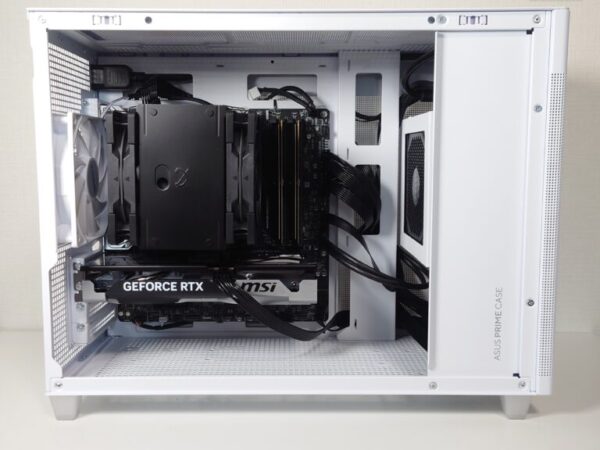
NVIDIA GeForce RTX 5060 Ti 16GB を搭載した自作 PC を使用します。
Stability Matrix + ComfyUI の実行環境の用意
ComfyUI は、以前 Stability Matrix で用意したものを使います。準備方法については、過去記事をご参照ください。
Stability Matrix と ComfyUI のアップデート
古いバージョンだと正常に動作しない可能性があるため、事前に更新しておきます。
- Stability Matrix – Settings – アップデート
- Stability Matrix – パッケージ – ComfyUI の更新
以下では、
Stability Matrix 2.15.5
ComfyUI v0.12.3
で試しています。
必要なファイルのダウンロード
モデルファイル
ComfyUI v0.12.3 では、LTX-2 は ComfyUI に統合済みのため、ComfyUI の WebUI 経由でダウンロードするのが簡単です。
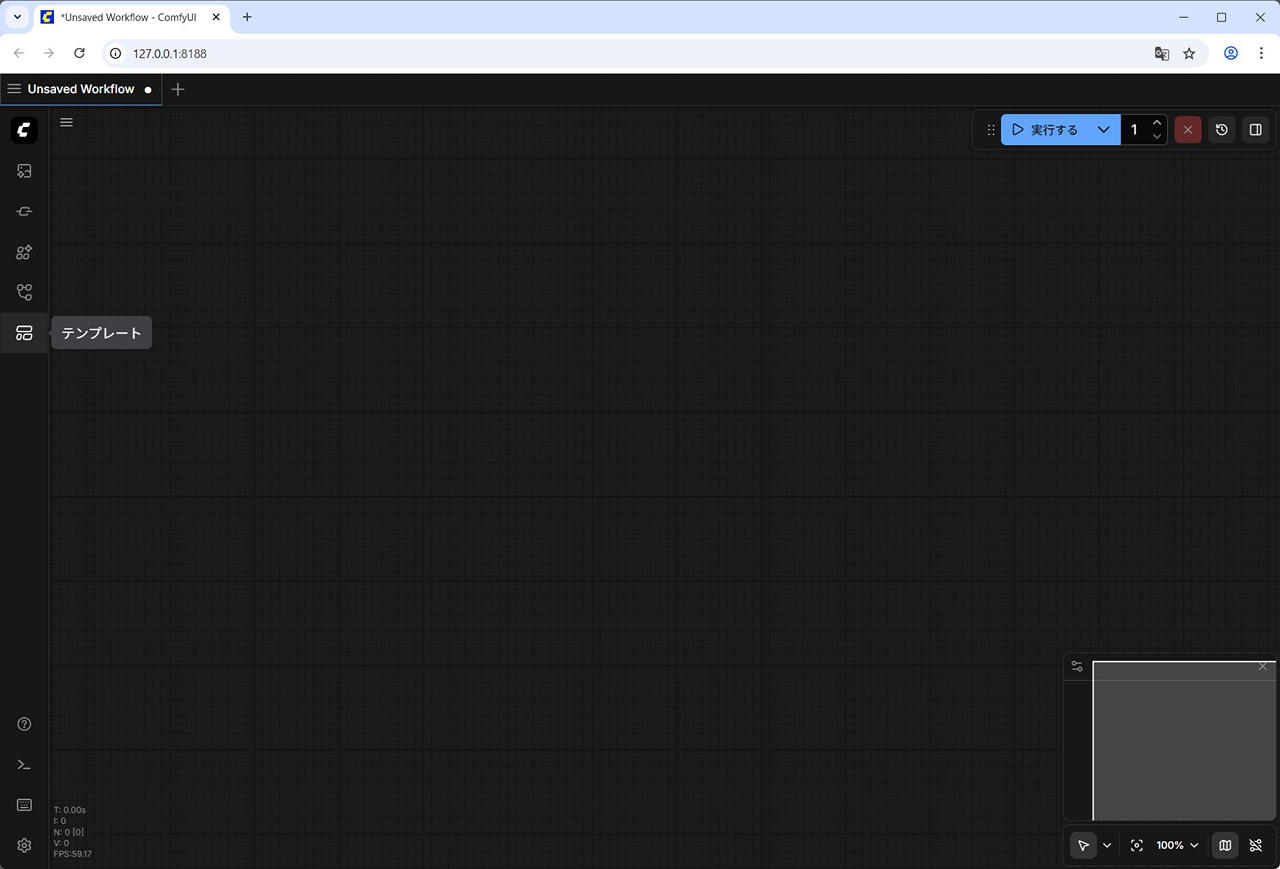
(1) ComfyUI の Web UI を起動し、左側メニューの [テンプレート] をクリックします。
(2) 検索欄に LTX-2と入力します。
[LTX-2 テキストからビデオ] が表示されるので、それをクリックします。
![LTX-2 で検索 - [LTX-2 テキストからビデオ]](https://iwannacreateapps.com/wp-content/uploads/2026/02/LTX-2_02.jpg)
(3) ワークフローが開いた際に、必要なチェックポイントファイルが不足している場合は、ポップアップが表示されます。
それぞれダウンロードします。
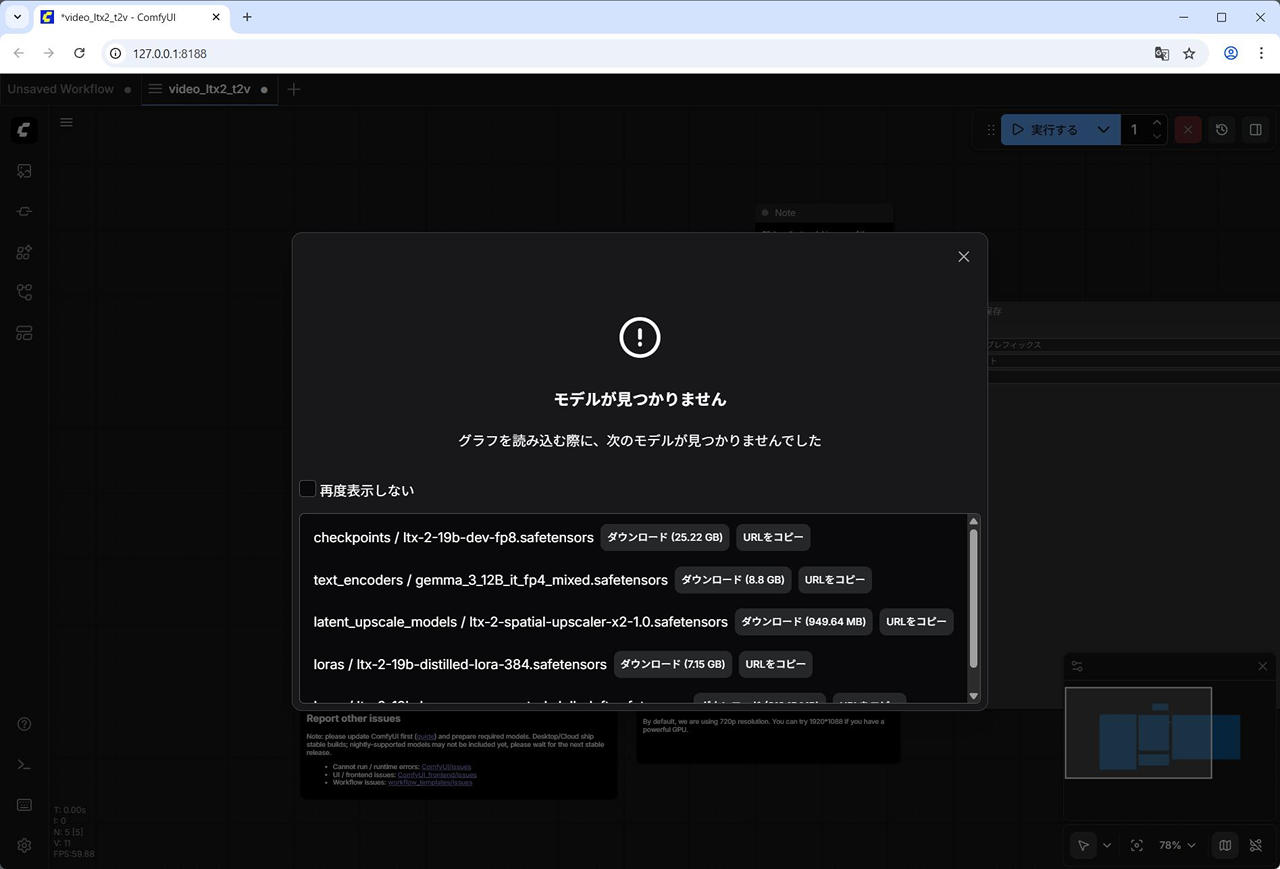
- checkpoints / ltx-2-19b-dev-fp8.safetensors
- text_encoders / gemma_3_12B_it_fp4_mixed.safetensors
- latent_upscale_models / ltx-2-spatial-upscaler-x2-1.0.safetensors
- loras / ltx-2-19b-distilled-lora-384.safetensors
- loras / ltx-2-19b-lora-camera-control-dolly-left.safetensors
(4) 蒸留版も試すので蒸留版のワークフローも開き、同様に不足しているモデルファイルをダウンロードします。
ComfyUI の Web UI – 左側メニューの [テンプレート] – [LTX-2 テキストからビデオ(蒸留版)]
![LTX-2 で検索 - [LTX-2 テキストからビデオ(蒸留版)]](https://iwannacreateapps.com/wp-content/uploads/2026/02/LTX-2_09.jpg)
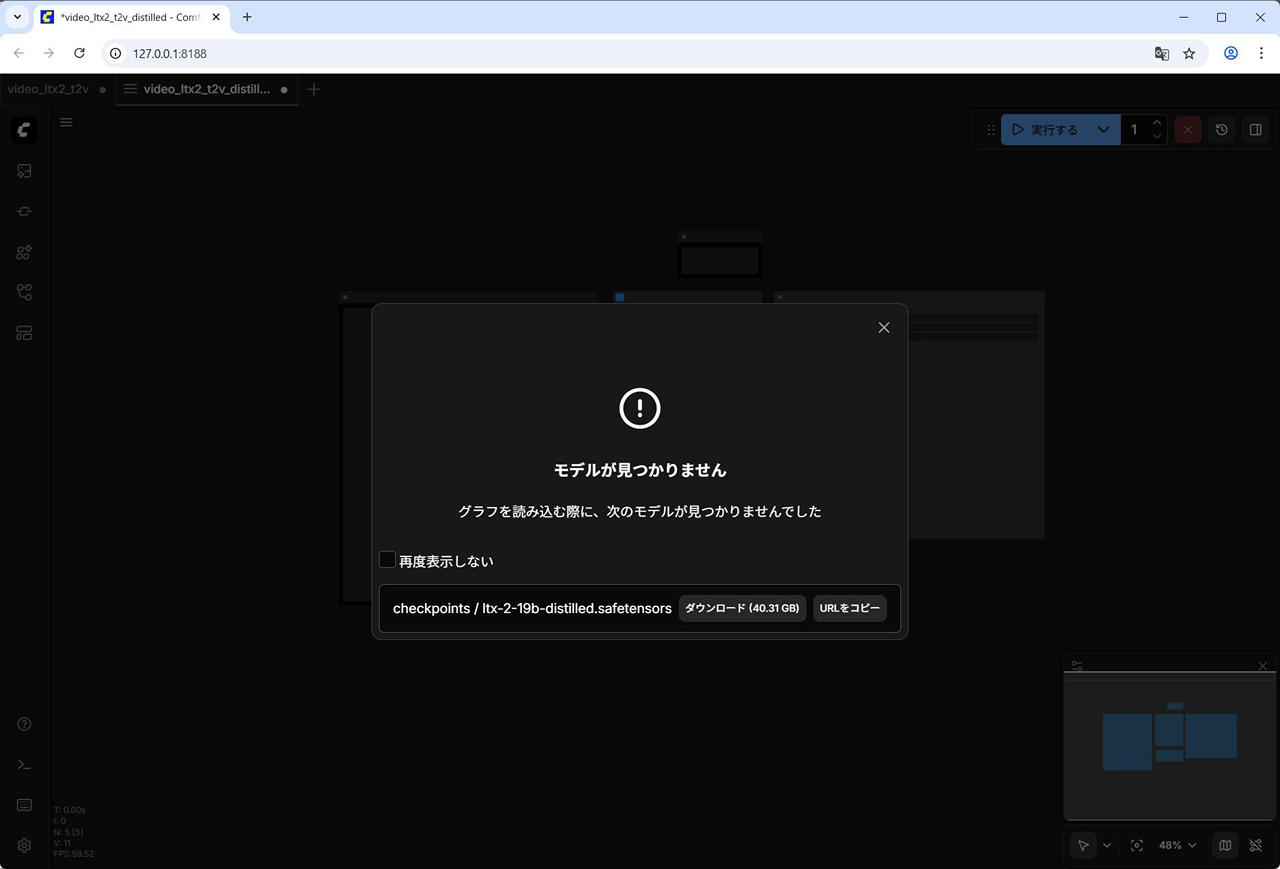
- checkpoints / ltx-2-19b-distilled.safetensors
サンプル画像
Comfy Org のサイトからワークフロー実行のためのサンプルの画像をダウンロードします。
https://blog.comfy.org/p/ltx-2-open-source-audio-video-ai
Image to Video のところの Input の画像を一度クリックして、画像が拡大表示された後右クリックして [名前を付けて画像を保存] で保存します。
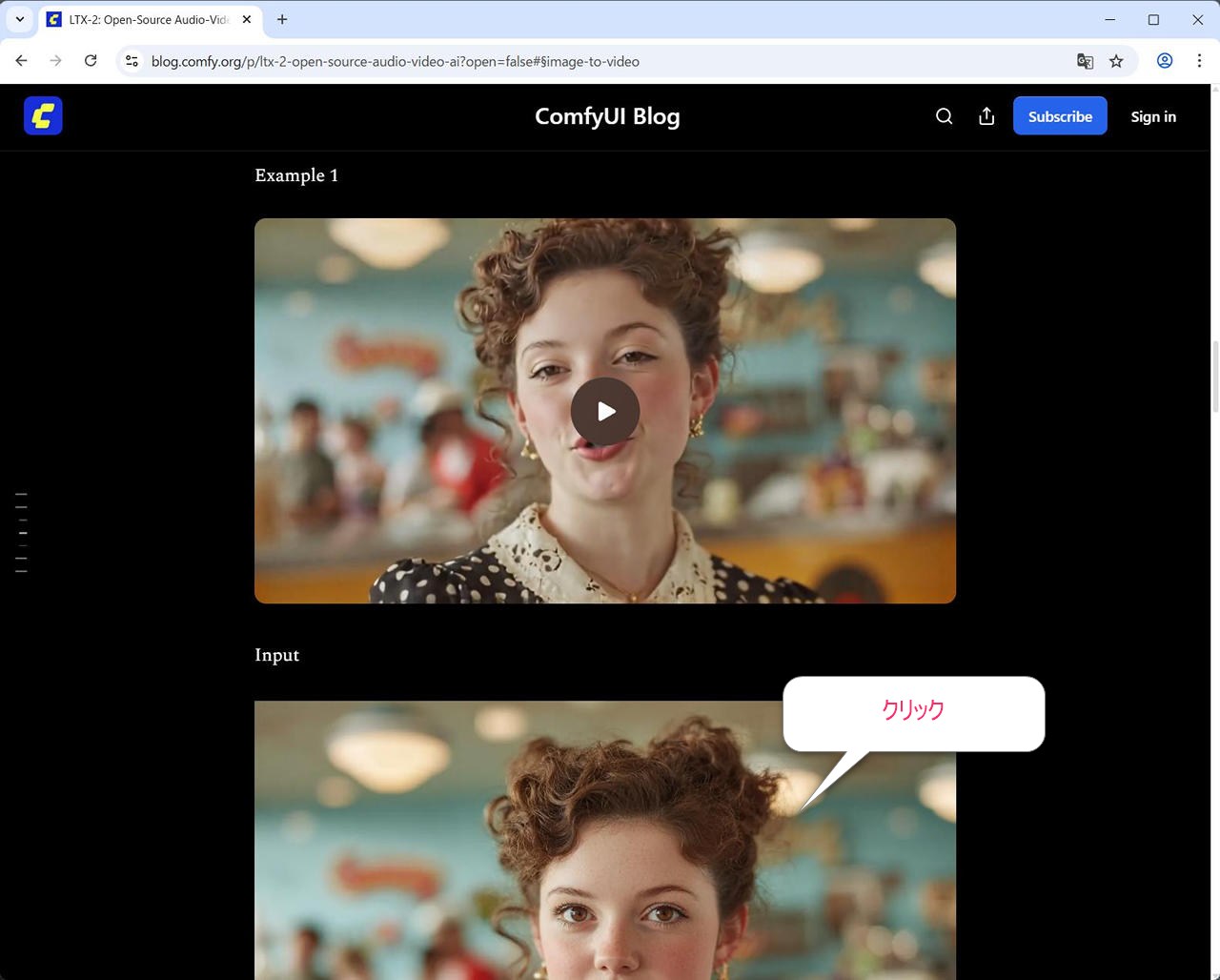
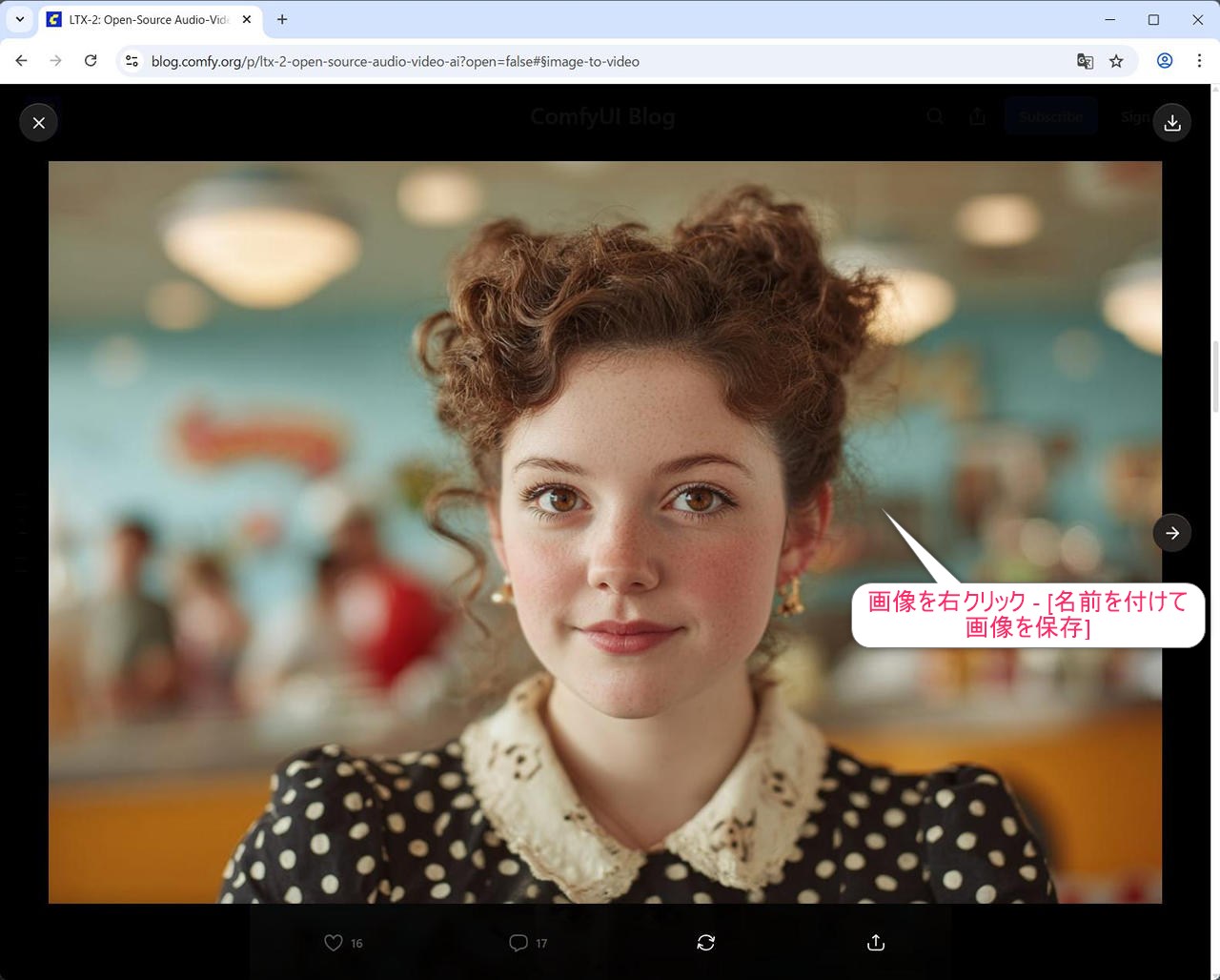
(この画像ファイルは 3c622277-1c11-465a-a65d-2ba8a0203d7e_1344x896.jpg で保存しました。)
extra_model_paths.yaml の編集
Stability Matrix 版の ComfyUI は、以下 2 箇所のモデルディレクトリを参照します。
これは、extra_model_paths.yaml で定義されています。
- comfyui/models
- StabilityMatrixのインストールフォルダ/Data/Models
今回利用する ltx-2-spatial-upscaler-x2-1.0.safetensors は、ComfyUI のみを利用する場合、comfyui\models\latent_upscale_models に配置する必要があります。
一方、Stability Matrix でインストールされた ComfyUI では、latent_upscale_models に対応するフォルダが StabilityMatrixのインストールフォルダ\Data\Models\ 配下に標準では存在しません。
そのため、 手動でフォルダを用意して、extra_model_paths.yaml で書き換えます。
(1) フォルダ作成
StabilityMatrix のインストールフォルダ\Data\Models\ 配下に LatentUpscaleModels フォルダを作成します。
(2) extra_model_paths.yaml の編集
extra_model_paths.yaml ファイルは、StabilityMatrix のインストールフォルダ\Data\Packages\ComfyUI にあります。この extra_model_paths.yaml をテキストエディタで開き、末尾に以下を追記します。
yaml ファイルなので、インデント・スペースの数に注意してください。
  latent_upscale_models: |-
    C:\StabilityMatrix\Data\Models\LatentUpscaleModels
念のため、私の環境の全文を記載しておくと、以下になっています。
stability_matrix:
  checkpoints: |-
    C:/StabilityMatrix/Data/Models/StableDiffusion
  diffusers: |-
    C:/StabilityMatrix/Data/Models/Diffusers
  loras: |-
    C:/StabilityMatrix/Data/Models/Lora
    C:/StabilityMatrix/Data/Models/LyCORIS
  clip: |-
    C:/StabilityMatrix/Data/Models/TextEncoders
  clip_vision: |-
    C:/StabilityMatrix/Data/Models/ClipVision
  embeddings: |-
    C:/StabilityMatrix/Data/Models/Embeddings
  vae: |-
    C:/StabilityMatrix/Data/Models/VAE
  vae_approx: |-
    C:/StabilityMatrix/Data/Models/ApproxVAE
  controlnet: |-
    C:/StabilityMatrix/Data/Models/ControlNet
    C:/StabilityMatrix/Data/Models/T2IAdapter
  gligen: |-
    C:/StabilityMatrix/Data/Models/GLIGEN
  upscale_models: |-
    C:/StabilityMatrix/Data/Models/ESRGAN
    C:/StabilityMatrix/Data/Models/RealESRGAN
    C:/StabilityMatrix/Data/Models/SwinIR
  hypernetworks: |-
    C:/StabilityMatrix/Data/Models/Hypernetwork
  ipadapter: |-
    C:/StabilityMatrix/Data/Models/IpAdapter
    C:/StabilityMatrix/Data/Models/IpAdapters15
    C:/StabilityMatrix/Data/Models/IpAdaptersXl
  prompt_expansion: |-
    C:/StabilityMatrix/Data/Models/PromptExpansion
  ultralytics: |-
    C:/StabilityMatrix/Data/Models/Ultralytics
  ultralytics_bbox: |-
    C:/StabilityMatrix/Data/Models/Ultralytics/bbox
  ultralytics_segm: |-
    C:/StabilityMatrix/Data/Models/Ultralytics/segm
  sams: |-
    C:/StabilityMatrix/Data/Models/Sams
  diffusion_models: |-
    C:/StabilityMatrix/Data/Models/DiffusionModels
  latent_upscale_models: |-
    C:\StabilityMatrix\Data\Models\LatentUpscaleModels
編集後は、ComfyUI を再起動しておきます。
StabilityMatrix – パッケージ – ComfyUI – リスタート
ファイルの配置
フォルダを用意と extra_model_paths.yaml の編集を終えたら、ダウンロードしたモデルファイルを配置します。
(1) Diffusion モデル
ltx-2-19b-dev-fp8.safetensors, ltx-2-19b-distilled.safetensors
→ StabilityMatrix のインストールフォルダ\Data\Models\TextEncoders\Data\Models\DiffusionModels
(2) テキストエンコーダ
gemma_3_12B_it_fp4_mixed.safetensors
→ StabilityMatrix のインストールフォルダ\Data\Models\TextEncoders
(3) Lora
ltx-2-19b-distilled-lora-384.safetensors, ltx-2-19b-lora-camera-control-dolly-left.safetensors
→ StabilityMatrix のインストールフォルダ\Data\Models\TextEncoders\Data\Models\VAE
(4) Latent Upscale モデル
ltx-2-spatial-upscaler-x2-1.0.safetensors
→ StabilityMatrix のインストールフォルダ\Data\Models\TextEncoders\Data\Models\LatentUpscaleModels
C:\StablilityMatrix にインストールしている場合は以下のような形です:
C:\STABILITYMATRIX\DATA\MODELS
├─LatentUpscaleModels
│      ltx-2-spatial-upscaler-x2-1.0.safetensors
├─Lora
│      ltx-2-19b-distilled-lora-384.safetensors
│      ltx-2-19b-lora-camera-control-dolly-left.safetensors
├─StableDiffusion
│      ltx-2-19b-dev-fp8.safetensors
│      ltx-2-19b-distilled.safetensors
└─TextEncoders
       gemma_3_12B_it_fp4_mixed.safetensors
画像生成を行ってみた
テキストから動画生成
ワークフローを開きます。
ComfyUI の Web UI – 左側メニューの [テンプレート] – [LTX-2 テキストからビデオ]
サンプルのワークフローをそのまま実行してみます。
約 231秒で生成できました。
![[LTX-2 テキストからビデオ] のワークフロー](https://iwannacreateapps.com/wp-content/uploads/2026/02/LTX-2_07.jpg)
![[LTX-2 テキストからビデオ] で動画生成](https://iwannacreateapps.com/wp-content/uploads/2026/02/LTX-2_08.jpg)
以下生成した動画 (再生すると音声が出るので注意)
テキストからビデオ (蒸留版)
次に蒸留版で試します。
ワークフローを開きます。
ComfyUI の Web UI – 左側メニューの [テンプレート] – [LTX-2 テキストからビデオ (蒸留版)]
プロンプトを以下で置き換え、実行します。
約 170秒で生成できました。
A close-up of a cheerful girl puppet with curly auburn yarn hair and wide button eyes, holding a small red umbrella above her head. Rain falls gently around her. She looks upward and begins to sing with joy in English: "It's raining, it's raining, I love it when its raining." Her fabric mouth opening and closing to a melodic tune. Her hands grip the umbrella handle as she sways slightly from side to side in rhythm. The camera holds steady as the rain sparkles against the soft lighting. Her eyes blink occasionally as she sings.![[LTX-2 テキストからビデオ(蒸留版)] のワークフロー](https://iwannacreateapps.com/wp-content/uploads/2026/02/LTX-2_10.jpg)
![[LTX-2 テキストからビデオ(蒸留版)] プロンプトを変更](https://iwannacreateapps.com/wp-content/uploads/2026/02/LTX-2_11.jpg)
![[LTX-2 テキストからビデオ(蒸留版)] で、通常版と同じプロンプトで動画作成](https://iwannacreateapps.com/wp-content/uploads/2026/02/LTX-2_12.jpg)
以下生成した動画 (再生すると音声が出るので注意)
画像からビデオ
さらに画像から動画生成を行います。
ワークフローを開きます。
ComfyUI の Web UI – 左側メニューの [テンプレート] – [LTX-2 画像からビデオ]
![LTX-2 で検索 - [LTX-2 画像からビデオ] のワークフロー](https://iwannacreateapps.com/wp-content/uploads/2026/02/LTX-2_13.jpg)
ダウンロードしていたサンプル画像(3c622277-1c11-465a-a65d-2ba8a0203d7e_1344x896.jpg) を [画像を読み込む] ノードにドラッグアンドドロップし、実行します。
大体 237 秒で生成できました。
![[LTX-2 画像からビデオ] のワークフロー](https://iwannacreateapps.com/wp-content/uploads/2026/02/LTX-2_14.jpg)
![[LTX-2 画像からビデオ] のワークフローで画像を読み込み](https://iwannacreateapps.com/wp-content/uploads/2026/02/LTX-2_15.jpg)
![[LTX-2 画像からビデオ] のワークフローで動画生成](https://iwannacreateapps.com/wp-content/uploads/2026/02/LTX-2_16.jpg)
以下生成した動画 (再生すると音声が出るので注意)
画像からビデオ(蒸留版)
比較のため、上記と同じ画像・プロンプトで行います。
ワークフローを開きます。
ComfyUI の Web UI – 左側メニューの [テンプレート] – [LTX-2 画像からビデオ(蒸留版)]
![LTX-2 で検索 - [LTX-2 画像からビデオ(蒸留版)]](https://iwannacreateapps.com/wp-content/uploads/2026/02/LTX-2_17.jpg)
ダウンロードしていたサンプル画像を [画像を読み込む] ノードにドラッグアンドドロップします。
プロンプトを以下で置き換えて、実行します。約 184 秒で生成できました。
A close-up shot of a young waitress in a retro 1950s diner, her warm brown eyes meeting the camera with a gentle smile. She wears a black polka-dot dress with an elegant cream lace collar, her reddish-brown hair styled in an elaborate updo with delicate curls framing her freckled face. Soft, warm light from overhead fixtures illuminates her features as she stands behind a yellow counter. The camera begins slightly to her side, then slowly pushes in toward her face, revealing the subtle rosy blush on her cheeks. In the blurred background, the soft teal walls and a glowing red "Diner" sign create a nostalgic atmosphere. The ambient sounds of clinking dishes, distant conversations, and the gentle hum of a jukebox fill the air. She tilts her head slightly and says in a friendly, warm voice: "Welcome to Rosie's. What can I get for you today?" The mood is inviting, timeless, and full of classic American diner charm.![[LTX-2 画像からビデオ(蒸留版)] のワークフロー](https://iwannacreateapps.com/wp-content/uploads/2026/02/LTX-2_18.jpg)
![[LTX-2 画像からビデオ(蒸留版)] で動画生成](https://iwannacreateapps.com/wp-content/uploads/2026/02/LTX-2_19.jpg)
以下生成した動画 (再生すると音声が出るので注意)
まとめ
初回実行時はモデルの読み込みで時間がかかりますが、同一モデル・ワークフローを使い回すことで、以降はもう少し高速に生成できます。
蒸留版は生成時間が短く、品質も十分実用的だと感じました。
テキストや画像から、音声・音楽付きの動画をローカル環境で気軽に生成できる点は非常に魅力的です。
参考となれば幸いです。
▼ 関連